
Canon Rebel T6 (EOS 1300D) Instruction Manual: A Comprehensive Guide
This manual details the Canon EOS 1300D (Rebel T6), covering setup, shooting modes, focusing, and settings․ It assists users in maximizing their photographic potential․
Welcome to the world of digital SLR photography with the Canon Rebel T6 (EOS 1300D)! This camera is designed for both beginners and enthusiasts seeking a step up in image quality and creative control․ This guide will walk you through everything from initial setup to advanced shooting techniques․ The Rebel T6 boasts an 18․0 Megapixel CMOS sensor and DIGIC 4+ Image Processor, delivering stunning photos and 1080p Full HD videos․
It’s a versatile camera, perfect for capturing life’s precious moments․ Explore its features and unlock your photographic potential!
Unboxing and Initial Setup
Carefully unpack your Canon Rebel T6 box, ensuring all components are present: camera body, EF-S 18-55mm lens, battery, battery charger, strap, and manuals․ Insert the battery into the battery compartment and charge it fully using the provided charger․ Next, attach the lens to the camera body, aligning the white dot on the lens with the mark on the camera․ Power on the camera and follow the on-screen prompts to set the language, date, and time․
Finally, insert an SD card for image storage․
Understanding the Camera Body & Buttons
The Canon Rebel T6 features a user-friendly layout․ The camera body is primarily constructed of polycarbonate․ Familiarize yourself with key components: the lens mount, shutter button, mode dial, and control dials․ The rear panel houses the LCD screen, directional buttons, and menu button․ These buttons navigate settings and playback images․ The top panel includes the power switch, mode dial (Auto, Program, Aperture Priority, Shutter Priority, Manual), and quick control dial․
Understanding these elements is crucial for operation․
Top Panel Controls
The Canon Rebel T6’s top panel houses essential controls․ The power switch activates the camera․ The mode dial selects shooting modes – Auto, Program (P), Aperture Priority (Av), Shutter Priority (Tv), Manual (M), and creative modes․ The shutter button initiates image capture; half-press for focus, full-press to shoot․ A quick control dial allows for swift adjustment of settings like aperture and shutter speed, depending on the selected mode․
These controls provide direct access to core camera functions for efficient operation․

Back Panel Controls
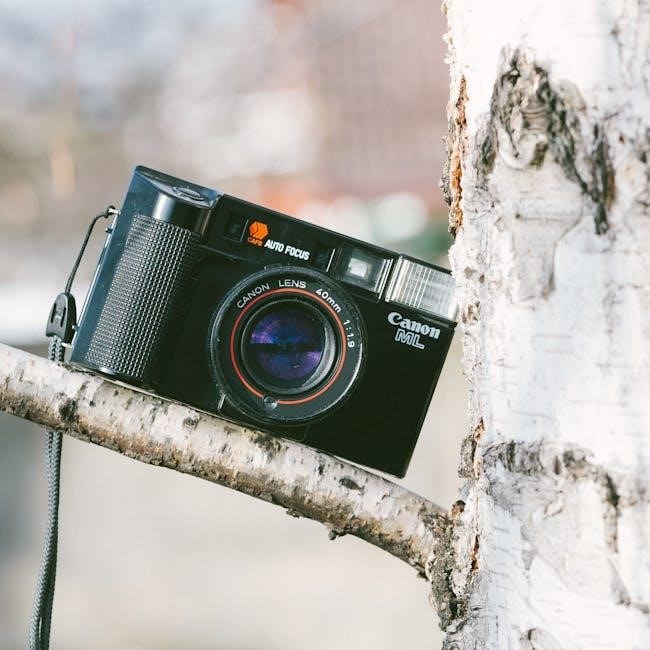
The Rebel T6’s back panel features a 3․0-inch LCD screen for image review and menu navigation․ The directional buttons facilitate menu exploration and settings adjustments․ The ‘Set’ button confirms selections․ The ‘Q’ button provides quick access to frequently used settings․ The ‘Live View’ button activates Live View shooting․ The ‘AF Point Selection’ button allows for precise autofocus point selection․
A playback button enables image and video review, while a dedicated video record button initiates video capture․
Side Panel Ports & Slots (SD Card, Microphone, Remote)
The Canon Rebel T6’s side panel houses essential connectivity options․ A secure SD card slot accommodates storage for photos and videos; ensure compatibility with SDHC/SDXC cards․ A standard 3․5mm microphone jack enables external audio recording for enhanced video quality․ A remote control port allows for wireless shutter release, useful for self-portraits and minimizing camera shake․
Additionally, a Mini-HDMI port facilitates high-definition video output to external displays․ These ports expand the camera’s functionality and creative possibilities․
Lenses and Lens Compatibility
The Canon Rebel T6 utilizes the Canon EF/EF-S lens mount, offering broad compatibility with a vast range of lenses․ EF lenses provide full-frame coverage, while EF-S lenses are designed specifically for APS-C sensor cameras like the T6, offering a more compact and affordable option․ Compatibility extends to both Canon-branded and third-party lenses․
When selecting a lens, consider focal length, aperture, and image stabilization features․ Utilizing quality lenses significantly impacts image quality and creative control․
Basic Shooting Modes
The Canon Rebel T6 offers several shooting modes for varying skill levels and photographic situations․ Scene Intelligent Auto mode automatically selects optimal settings based on the scene․ Program mode (P) allows for some user control while maintaining automatic exposure․ Aperture Priority (Av) lets you control depth of field, while Shutter Priority (Tv) controls motion blur․
Finally, Manual mode (M) grants full creative control over both aperture and shutter speed, enabling experienced photographers to fine-tune their images․
Auto Mode (Scene Intelligent Auto)
Scene Intelligent Auto mode is the simplest way to capture great photos with your Canon Rebel T6; The camera analyzes the scene – detecting faces, brightness, contrast, and movement – and automatically selects the optimal settings․ This mode is perfect for beginners or situations where quick, hassle-free shooting is desired․
It intelligently adjusts ISO, aperture, shutter speed, and white balance, ensuring well-exposed and vibrant images without requiring manual adjustments․ Simply point and shoot for excellent results!

Program Mode (P)
Program Mode (P) offers a balance between automatic operation and creative control on your Canon Rebel T6․ The camera automatically sets the aperture and shutter speed for proper exposure, but allows you to adjust ISO, white balance, and Picture Style․ This mode is ideal for situations where you want some control without the complexity of fully manual settings;
You can also use exposure compensation to fine-tune the brightness of your images․ Program Mode provides a stepping stone towards more advanced shooting techniques, offering flexibility and convenience․
Aperture Priority Mode (Av)
Aperture Priority (Av) mode on the Canon Rebel T6 empowers you to control the depth of field in your photographs․ You select the aperture (f-stop), and the camera automatically determines the appropriate shutter speed for correct exposure․ A wider aperture (lower f-number) creates a shallow depth of field, ideal for portraits with blurred backgrounds․
Conversely, a narrower aperture (higher f-number) increases the depth of field, keeping more of the scene in focus – perfect for landscapes․ Av mode allows creative control over focus while simplifying exposure settings․
Shutter Priority Mode (Tv)
Shutter Priority (Tv) mode on your Canon Rebel T6 grants control over motion blur and freezing action․ You choose the shutter speed, and the camera automatically adjusts the aperture for proper exposure․ Faster shutter speeds (e․g․, 1/1000s) freeze fast-moving subjects, like sports or wildlife․
Slower shutter speeds (e․g․, 1/30s or longer) create motion blur, conveying a sense of movement – useful for waterfalls or light trails․ Tv mode is ideal when capturing dynamic scenes where controlling time is paramount, while the camera handles the aperture․
Manual Mode (M)
Manual (M) mode provides complete creative control over your Canon Rebel T6․ You independently set both the aperture and shutter speed, allowing precise exposure adjustments․ This mode is essential for challenging lighting conditions or when you desire a specific artistic effect․
Understanding the interplay between aperture (depth of field) and shutter speed (motion blur) is crucial in M mode․ Use the camera’s light meter as a guide, but don’t hesitate to deviate for intentional over or underexposure․ Mastering M mode unlocks your full photographic potential․
Focusing Modes & Autofocus Points
The Canon Rebel T6 offers several focusing modes to suit various shooting scenarios․ One-Shot AF is ideal for stationary subjects, locking focus when the shutter button is half-pressed․ AI Servo AF continuously tracks moving subjects, maintaining focus as they change position․ AI Focus AF automatically switches between One-Shot and AI Servo․
The Rebel T6 features nine autofocus points, selectable individually or allowing the camera to choose automatically․ Utilizing specific AF points provides greater control over focus placement, particularly useful for portraits or precise compositions․ Experiment with different modes and points to achieve optimal sharpness․
Understanding ISO, Aperture, and Shutter Speed
Mastering ISO, aperture, and shutter speed is crucial for controlling exposure and creative effects․ ISO determines the camera’s sensitivity to light; lower ISOs (100-400) produce cleaner images, while higher ISOs (800+) are useful in low light but introduce noise․ Aperture (f-stop) controls depth of field – a wider aperture (e․g․, f/1․8) creates shallow depth of field, blurring the background․
Shutter speed dictates how long the sensor is exposed to light; faster speeds freeze motion, while slower speeds allow more light in but can cause blur․ Balancing these three elements allows for properly exposed and artistically compelling photographs․
Shooting Video with the Rebel T6
The Canon Rebel T6 can record Full HD 1080p video at various frame rates (24, 30, and 60 fps)․ To switch to video mode, rotate the mode dial to the movie camera icon․ Utilize autofocus during recording, but be aware it may hunt for focus․ Manual focus offers greater control․ Ensure a compatible SD card with sufficient capacity and write speed for longer recordings․
External microphones can significantly improve audio quality․ Experiment with different settings to achieve desired cinematic effects and remember to consider lighting for optimal video results․
Reviewing and Deleting Images & Videos
To review captured images and videos, press the playback button (indicated by a triangle)․ Use the cross keys to navigate through your files․ Zoom in to check focus and detail using the zoom button․ The LCD screen displays shooting information like date, time, and settings․ To delete a single file, press the delete button and confirm․
For deleting multiple files, use the select all function within the playback menu․ Be cautious when deleting, as this action is usually irreversible․ Regularly back up your files to a computer or external storage․
Customizing Camera Settings
The Canon Rebel T6 allows extensive customization via its menu system․ Picture Style Settings let you tailor image appearance (Standard, Portrait, Landscape, etc․)․ White Balance Adjustment ensures accurate colors under different lighting conditions – Auto, Daylight, Cloudy, Tungsten, and Fluorescent are available․
Explore options for Auto Lighting Optimizer, sharpening, and contrast․ Customize the button functions for quicker access to frequently used settings․ Adjust the display format and sound volume to your preference․ Remember to reset to defaults if needed․

Picture Style Settings
Canon’s Picture Style settings profoundly impact your images’ look, directly influencing contrast, sharpness, and color tone․ The Rebel T6 offers presets like Standard for all-purpose shooting, Portrait for flattering skin tones, and Landscape for vibrant outdoor scenes․ Neutral provides a flat profile ideal for post-processing․
Faithful aims for accurate color reproduction, while Monochrome delivers classic black and white images․ You can further customize each style, adjusting sharpness, contrast, color saturation, and tone․ Experiment to find your preferred look!
White Balance Adjustment
Accurate white balance ensures colors appear natural, correcting for different lighting conditions․ The Rebel T6 offers several presets: Auto (AWB) for general use, Daylight, Cloudy, Shade, Tungsten, and Fluorescent․ For precise control, use Custom white balance, taking a reading from a white or gray card under the current lighting․
Kelvin adjustment allows manual temperature setting․ Incorrect white balance results in color casts (e․g․, blueish or yellowish)․ Experiment with settings to achieve the desired color accuracy in your photographs․
Using the Built-in Flash
The Rebel T6’s built-in flash provides additional illumination in low-light situations․ Access flash settings via the flash icon on the camera body or in the menu․ Modes include Auto, Manual, and Off․ Red-eye reduction minimizes the red-eye effect in portraits․ Flash exposure compensation adjusts flash intensity․
For creative effects, consider slow sync, combining flash with a slower shutter speed․ Be mindful of the flash’s range; it’s most effective for closer subjects․ External flashes offer greater power and control․
Connecting to a Computer & Transferring Files

Transferring photos from your Rebel T6 to a computer is straightforward․ Use the provided USB cable to connect the camera․ The camera will appear as a removable drive on your computer․ Alternatively, use a card reader for faster transfer speeds․ Canon’s Digital Photo Professional (DPP) software facilitates image management and editing․
Ensure the camera is powered on during transfer․ Select the desired files and copy them to your computer․ Remember to safely eject the camera or card reader after completion to prevent data corruption․
Troubleshooting Common Issues
Encountering problems? A common issue is a blank screen – check the battery and ensure it’s fully charged․ If autofocus isn’t working, verify the lens is properly attached and the autofocus mode is correctly selected․ Card errors can occur; try reformatting the SD card within the camera’s menu․
For image quality concerns, review your ISO, aperture, and shutter speed settings․ If the camera freezes, remove the battery and reinsert it․ Consult Canon’s support website for detailed solutions and firmware updates․
Maintaining Your Canon Rebel T6
Proper care extends your camera’s life․ Regularly clean the lens with a microfiber cloth and lens cleaning solution, avoiding harsh chemicals․ Gently blow away dust from the sensor – avoid touching it directly․ Store the camera in a dry, dust-free environment, ideally in a camera bag․
Protect it from extreme temperatures and humidity․ Periodically check and clean the battery contacts․ Back up your images frequently to prevent data loss․ Avoid dropping or subjecting the camera to strong impacts․
Understanding the Menu System
The Rebel T6’s menu is navigated using the directional buttons and the SET button․ It’s organized into tabs: Shooting, Creative, Playback, and Setup․ Shooting controls image quality, autofocus, and drive mode․ Creative adjusts Picture Styles and White Balance․ Playback manages image review and deletion․
Setup handles camera settings like date/time, display, and cleaning․ Familiarize yourself with each tab to customize your shooting experience․ The menu structure is logical, but exploring is key to unlocking the camera’s full potential․
Canon Rebel T6 Specifications
The Canon Rebel T6 (EOS 1300D) features an 18․0 Megapixel APS-C CMOS sensor and DIGIC 4+ image processor․ It captures Full HD 1080p video at 30/25/24fps․ The camera boasts a 9-point autofocus system and ISO range of 100-6400 (expandable to 12800)․
It includes a 3․0-inch LCD screen and supports SD, SDHC, and SDXC memory cards․ Weighing approximately 475g (body only), it’s a lightweight DSLR․ Connectivity options include Wi-Fi for easy image sharing․